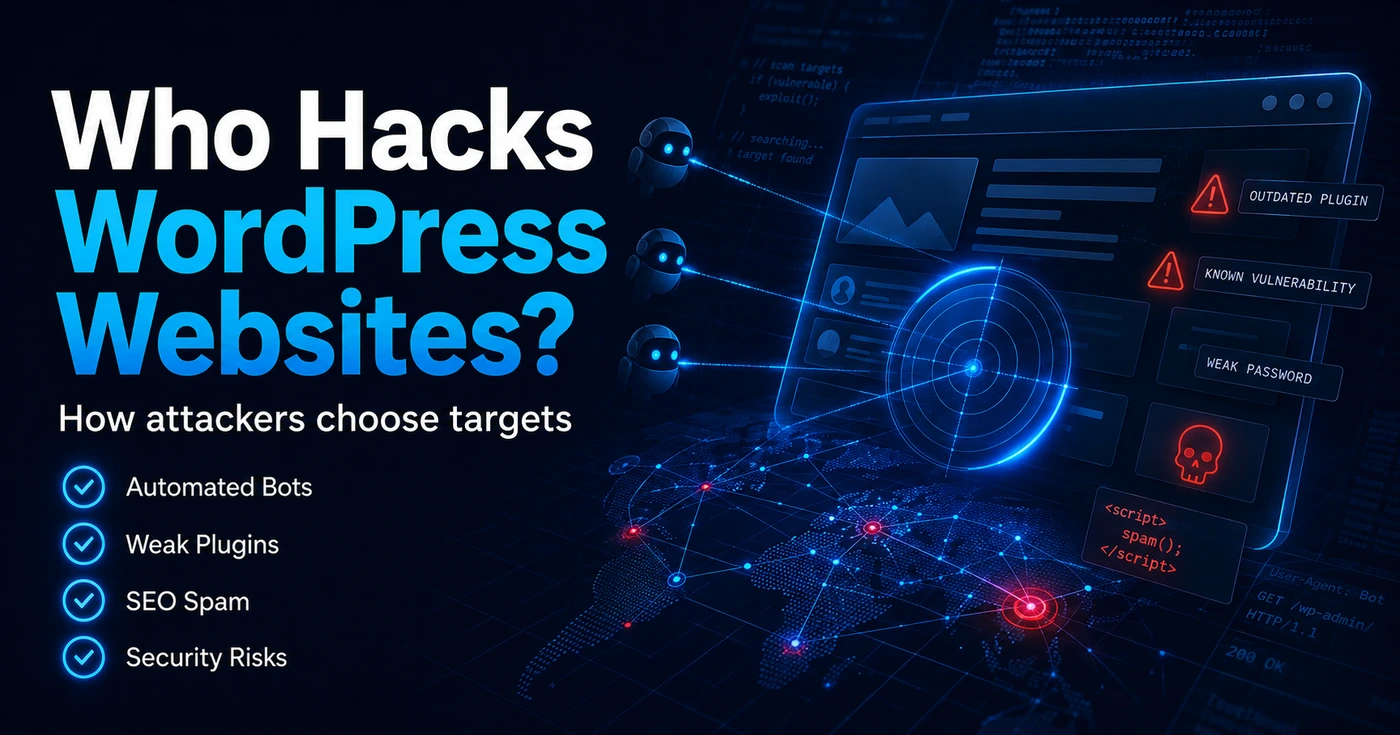

Most WordPress websites are not hacked because someone personally dislikes the business behind them.
In many cases, WordPress websites are hacked because automated bots find an easy weakness before the website owner does.
That weakness could be an outdated plugin, a weak password, an exposed login page, an old theme, poor hosting security, or a website that has not been maintained for months.
This is why small business websites, blogs, company profiles, online stores, and booking websites can all become targets.
Your website does not need to be famous to be attacked.
It only needs to be vulnerable.
In this guide, we will explain who hacks WordPress websites, how attackers usually choose their targets, what they want from your website, and how you can reduce the risk before damage happens.
Are WordPress Websites Really Targeted by Hackers?
Yes, WordPress websites are commonly targeted.
That does not mean WordPress is a bad platform. WordPress powers a huge number of websites, which makes it attractive to attackers. When a platform is widely used, attackers can build tools that scan many websites at once looking for the same types of weaknesses.
Most attacks are not manual at the beginning.
Attackers often use automated systems to scan websites for known vulnerabilities, exposed files, weak login areas, outdated plugins, or common misconfigurations.
If the bot finds a weakness, the website may be added to a list of possible targets.
This is why website security should not be treated as something you only think about after a problem happens. A website can be scanned, tested, and attacked even if the business is small, local, or not very well known.
For business owners, the important point is simple:
Your website is not only judged by how good it looks.
It is also judged by how well it is maintained.
Who Hacks WordPress Websites?
There is not only one type of person or group behind WordPress attacks.
Different attackers have different goals. Some are looking for money. Some want traffic. Some want to spread malware. Some want to use your website as part of a larger spam or phishing operation.
Here are the most common types of attackers that target WordPress websites.
1. Automated Bots
Automated bots are one of the biggest threats to WordPress websites.
These bots scan thousands of websites automatically. They are not choosing each website by hand. They are looking for patterns.
For example, a bot may check if a website is using an outdated plugin with a known vulnerability. Another bot may test common login pages. Another may look for exposed files, old themes, or weak security settings.
This is why many website owners are surprised when their small website gets hacked.
They think:
“Why would anyone target me?”
The answer is usually:
They did not target you personally. Their tools found your website.
Automated bots are fast, repetitive, and always active. They do not care if your website belongs to a large company or a small business. If the website has a weakness, it can become a target.
2. Opportunistic Attackers
Opportunistic attackers look for easy wins.
They usually search for websites that are already vulnerable because of outdated plugins, old themes, poor configuration, or weak login credentials.
They may not be advanced hackers. In many cases, they simply use available tools to find and exploit known weaknesses.
For example, if a popular plugin has a security issue and thousands of websites do not update it quickly, attackers may try to exploit as many of those websites as possible.
This is one of the main reasons WordPress maintenance is important.
Security is not only about installing a plugin and forgetting about it.
It is about keeping the whole website environment updated, clean, monitored, and backed up.
3. Malware Operators
Some attackers want to use your website to spread malware.
They may inject malicious code into your files, create hidden redirects, add infected scripts, or use your website to send visitors to dangerous pages.
In some cases, the website may continue to look normal to the owner, while visitors or search engines see something completely different.
This type of attack can damage your brand reputation quickly.
A customer may click your website and get redirected to a strange page. Google may show a warning in search results. Your hosting company may suspend the account. Your domain reputation may be affected.
Malware attacks are dangerous because they are not always obvious in the beginning.
A website can be compromised silently for days or weeks before the owner notices.
4. SEO Spam Hackers
Some attackers hack WordPress websites to create spam pages.
These pages may promote fake products, gambling content, adult content, fake medicines, or other low-quality search content. The goal is to use your website’s domain authority to rank spam pages in search engines.
This can be especially harmful for business websites.
You may open Google Search Console and suddenly find strange keywords, unknown indexed pages, or search terms that have nothing to do with your business.
This type of attack can damage your SEO performance.
Even if your real pages are still working, search engines may start associating your domain with spam content. Cleaning this up can take time, especially if hundreds or thousands of spam URLs have already been indexed.
5. Credential Stuffing Attackers
Credential stuffing happens when attackers use leaked usernames and passwords from other websites and try them on your WordPress login page.
This works because many people reuse the same password across multiple platforms.
If your email and password were leaked from an old service, attackers may try the same combination on your WordPress website.
This is why strong passwords and two-factor authentication are important.
A strong password makes guessing harder.
Two-factor authentication adds another layer of protection even if the password is exposed.
For WordPress websites with multiple admins, editors, authors, or staff accounts, login security becomes even more important. One weak user account can create a serious risk for the whole website.
6. Supply Chain Attackers
Some attackers do not attack your website directly at first.
Instead, they target something your website depends on.
This could be a plugin, a theme, a third-party script, or an external service used by many websites.
This is known as a supply chain risk.
For example, if a plugin or script used by many websites is compromised, the attacker may be able to affect a large number of websites indirectly.
This is why you should be careful with the plugins, themes, and scripts you add to your website.
A good WordPress website should not use random plugins from unknown sources. Every plugin should have a clear purpose, active maintenance, good reputation, and regular updates.
The fewer unnecessary dependencies your website has, the easier it becomes to manage and secure.
How Do Attackers Choose WordPress Targets?
Attackers usually look for weakness, not fame.
A small business website can be more attractive than a large company website if it is easier to break into.
Here are some of the common things attackers look for.
Outdated Plugins
Outdated plugins are one of the most common security risks in WordPress.
Plugins add powerful features to your website, but they also add extra code. If that code has a vulnerability and you do not update it, attackers may try to exploit it.
This is why plugin management is a key part of WordPress security.
You should regularly check your installed plugins, remove anything you do not use, and update the plugins you actually need.
It is also important to avoid installing too many plugins just because they are free or convenient.
Every plugin adds responsibility.
Old Themes
Themes can also create security risks.
Some website owners keep old themes installed even if they are not being used. Others use outdated themes that no longer receive updates.
This can be risky.
If a theme has insecure code, old files, or bundled outdated features, it can become a possible entry point.
A good practice is to keep only the active theme, a clean child theme if needed, and a default fallback theme. Remove old, unused, or abandoned themes from the website.
Weak Passwords
Weak passwords make attacks easier.
Passwords like “admin123”, “password”, “companyname2024”, or simple personal details are dangerous.
Attackers can test common passwords automatically. If your username is also easy to guess, the risk becomes higher.
Every admin account should use a strong, unique password.
For important websites, two-factor authentication should also be enabled.
This is especially important for websites that handle payments, bookings, memberships, customer data, or private content.
Exposed Login Pages
Most WordPress websites use a familiar login structure.
Attackers know this and often try to access login pages directly.
Changing the login URL alone is not a complete security solution, but login protection can help reduce automated attacks.
Useful login protection measures include:
- Limiting login attempts
- Using two-factor authentication
- Blocking suspicious IP addresses
- Adding CAPTCHA when needed
- Monitoring failed login attempts
- Avoiding usernames like “admin”
The goal is not to make the website impossible to find.
The goal is to reduce easy automated abuse.
Poor Hosting Security
Your hosting environment matters.
Even if your WordPress website is well built, poor hosting can create risks.
Weak server configuration, outdated PHP versions, poor file permissions, lack of backups, or no malware monitoring can all make recovery harder if something goes wrong.
Good hosting should provide:
- Updated PHP versions
- SSL support
- Regular backups
- Malware scanning options
- Firewall protection
- Good server isolation
- Reliable support
Security is not only inside WordPress.
It also depends on the environment where WordPress is running.
Missing Backups
A website without backups is always at risk.
Backups do not stop hackers, but they can save your business after a problem happens.
If your website is hacked, broken, infected, or damaged during an update, a clean backup can help you recover faster.
The best backup strategy depends on the type of website.
A simple brochure website may need weekly backups.
An online store, membership website, booking platform, or event ticketing website may need daily backups or even more frequent backups.
Backups should also be stored outside the website server whenever possible.
If the server itself is compromised, local backups may not be enough.
Too Many User Accounts
Every user account is a possible risk.
If your website has old admins, previous developers, inactive editors, or unused staff accounts, those accounts should be reviewed.
Many website owners forget to remove accounts after a project ends.
This can become dangerous.
You should regularly check:
- Who has admin access
- Which accounts are still active
- Whether users have the right role
- Whether old accounts should be removed
- Whether any unknown admin users exist
Not every user needs to be an administrator.
Use the lowest permission level needed for each person.
What Do Hackers Want From Your WordPress Website?
Attackers do not always want the same thing.
Some want data. Some want traffic. Some want server resources. Some want to use your website as part of a bigger attack.
Here are the most common goals.
1. Redirecting Your Visitors
One common goal is to redirect your visitors to another website.
The visitor clicks your website from Google, social media, or an ad, but they are sent somewhere else.
This can destroy trust quickly.
A potential customer may think your business is unsafe. Search engines may also detect the redirect and show warnings.
Redirect hacks can be difficult to notice because they may only happen to some visitors, from some devices, or when coming from search engines.
2. Creating Hidden Spam Pages
Some attackers create hidden pages on your website.
These pages may not appear in your normal website menu, but they can still be indexed by Google.
Over time, your domain may start ranking for strange search terms.
This is a serious SEO problem.
If your website is used for spam pages, you may need to clean the infected files, remove the spam URLs, request reindexing, and monitor Google Search Console carefully.
3. Sending Spam Emails
Attackers may use your website or server to send spam emails.
This can damage your domain reputation.
If your domain or server IP is blacklisted, your real business emails may start going to spam. This can affect customer communication, order confirmations, booking emails, and contact form notifications.
For business websites, email reputation is extremely important.
A hacked website can create problems beyond the website itself.
4. Stealing Data
Some websites collect customer data through forms, checkout pages, membership areas, booking systems, or user accounts.
Attackers may try to access this data.
Even if your website does not store payment details directly, it may still contain names, emails, phone numbers, addresses, messages, or order information.
This is why websites that handle customer information should take security seriously.
Data protection is not only a technical issue.
It is also a trust issue.
5. Adding Hidden Admin Users
Some attackers create hidden admin accounts after gaining access.
This allows them to return later, even if you change some settings or clean part of the website.
That is why cleanup should include reviewing all admin users.
If you find an unknown administrator account, it should be investigated immediately.
You should also check when it was created, what actions were taken, and whether there are other signs of compromise.
6. Using Your Server Resources
Attackers may use your hosting resources for malicious activity.
This can cause high CPU usage, slow loading, hosting suspension, or unexpected server problems.
Sometimes the first sign of a hacked website is not a visible change on the website.
It may be a message from the hosting company saying your account is using too many resources.
If your website suddenly becomes slow or your server usage increases without a clear reason, security should be part of the investigation.
Why Do Hackers Target Small Business Websites?
Small business websites are often easier targets.
That does not mean the business is doing something wrong. It usually means the website has not been maintained with security in mind.
Small business websites often have:
- Outdated plugins
- Old themes
- Weak passwords
- No security monitoring
- No clear backup system
- Too many admin users
- Cheap hosting
- Unused plugins
- No firewall
- No regular security audit
Attackers know that many small businesses do not check their websites every day.
They also know that some business owners only notice the problem after customers complain, Google shows a warning, or the hosting company suspends the website.
This is why prevention is better than emergency cleanup.
A security audit before the attack is usually easier, cheaper, and less stressful than fixing a hacked website after damage has already happened.
Signs Your WordPress Website May Be Hacked
A hacked WordPress website does not always look hacked.
Sometimes the homepage looks normal, but there are hidden problems in the background.
Here are warning signs you should not ignore.
Strange Redirects
If visitors are being redirected to unknown websites, this is a serious warning sign.
The redirect may not happen every time. It may appear only on mobile, only for new visitors, or only when coming from Google.
Even if you cannot reproduce the problem every time, you should investigate it.
Unknown Admin Users
If you find an admin user you did not create, your website may be compromised.
Do not simply delete the user and move on.
You should check how the account was created and whether other files, plugins, or database entries were changed.
Slow Website Performance
A sudden drop in performance can have many causes.
But if your website becomes slow without a clear reason, security should be checked.
Malware, spam scripts, suspicious cron jobs, or server abuse can all affect performance.
Google Security Warnings
If Google shows a warning for your website, take it seriously.
Warnings may appear in search results or browsers when Google detects malware, phishing, or unsafe behavior.
This can damage traffic, conversions, and customer trust.
Strange Pages in Google Search Console
If Google Search Console shows strange URLs, foreign-language keywords, spam pages, or content you did not create, your website may have been used for SEO spam.
This should be investigated quickly before more pages are indexed.
Emails Going to Spam
If your business emails suddenly start going to spam, your website or server may have been used to send unwanted emails.
This is not always caused by a hack, but it is worth checking.
Your website forms, SMTP settings, server logs, and domain reputation should be reviewed.
Unexpected Files in WordPress Folders
Unknown files inside WordPress folders can be a warning sign.
This includes suspicious PHP files, strange file names, hidden scripts, or files added to locations where they should not exist.
The most sensitive areas include:
- wp-content
- wp-content/uploads
- wp-admin
- wp-includes
- Plugin folders
- Theme folders
A proper malware scan can help detect suspicious files, but manual review may still be needed in serious cases.
How to Protect Your WordPress Website From Hackers
WordPress security is not one single action.
It is a set of habits, tools, and regular checks that reduce risk.
Here are the most important steps.
Keep WordPress, Plugins, and Themes Updated
Updates are one of the most important security habits.
Many updates include security fixes. If you delay updates for too long, your website may stay exposed to known vulnerabilities.
Before updating, make sure you have a recent backup.
For business-critical websites, updates should be tested carefully to avoid breaking important features.
Remove Unused Plugins and Themes
If you do not use a plugin, remove it.
Deactivated plugins can still create risk if they remain installed and outdated.
The same applies to unused themes.
A cleaner website is easier to maintain, faster to review, and usually safer.
Use Strong Passwords and Two-Factor Authentication
Every admin account should have a strong, unique password.
Avoid shared admin accounts.
Avoid simple usernames.
Use two-factor authentication for administrators and important users.
This one step can prevent many login-related attacks.
Limit Login Abuse
Protect your login page from repeated automated attempts.
You can use security tools to limit failed login attempts, block suspicious activity, and add extra protection when needed.
This helps reduce brute force attacks and credential stuffing attempts.
Use a Firewall
A firewall helps filter suspicious traffic before it reaches your website.
This can include blocking malicious requests, suspicious bots, known attack patterns, or traffic from risky sources.
A firewall is not a replacement for updates and good maintenance, but it adds an important layer of protection.
Create a Reliable Backup Strategy
Backups should be automatic, regular, and stored safely.
You should know:
- How often backups are created
- Where backups are stored
- How long backups are kept
- How to restore a backup
- Whether the backup includes files and database
A backup you cannot restore is not enough.
Test your backup process when possible.
Review User Access Regularly
Check your WordPress users regularly.
Remove old accounts.
Reduce unnecessary permissions.
Make sure only trusted people have administrator access.
If a developer, employee, or freelancer no longer works with you, remove their access.
Access control is a simple but important part of website security.
Scan for Malware
Use malware scanning tools to detect suspicious files, code injections, backdoors, and known threats.
Scanning is especially important if:
- Your website was recently slow
- You noticed strange redirects
- Google indexed strange pages
- Your host reported suspicious activity
- You found unknown admin users
- You installed plugins from unsafe sources
A scan can help identify problems early, before they become larger.
Monitor Google Search Console
Google Search Console can help you detect SEO spam, indexing issues, security warnings, and unusual search behavior.
If your website suddenly appears for strange keywords or unknown pages, investigate quickly.
Security problems often show up in search data before the business owner notices them on the website.
Choose Plugins Carefully
Do not install plugins just because they are free.
Before installing a plugin, check:
- Is it actively maintained?
- Does it have good reviews?
- When was it last updated?
- Is it compatible with your WordPress version?
- Do you really need it?
- Is there a lighter alternative?
Every plugin should have a reason to exist.
If a feature is no longer needed, remove the plugin.
Follow Trusted WordPress Security Accounts
Choosing good plugins is important, but it is not enough.
WordPress security changes quickly. A plugin that is safe today may have a vulnerability discovered tomorrow. This is why website owners, developers, and agencies should follow trusted WordPress security accounts and vulnerability databases that publish plugin alerts, security research, and update recommendations.
Following the right sources can help you know when a plugin needs urgent attention before attackers start exploiting the issue widely.
Some useful sources to follow include:
- Patchstack on X — for WordPress plugin and theme vulnerability alerts, virtual patching updates, and security research.
- Wordfence on X — for WordPress firewall research, malware analysis, vulnerability reports, and active exploitation warnings.
- WPScan on X — for WordPress vulnerability database updates related to plugins, themes, and WordPress core.
- WordPress Security News — for official WordPress security releases and core update announcements.
- Patchstack Vulnerability Database — for checking known vulnerabilities in WordPress plugins, themes, and core.
- WPScan Vulnerability Database — for monitoring known WordPress plugin and theme vulnerabilities.
You do not need to follow every security account on the internet.
Start with a few trusted sources, check their alerts regularly, and compare any critical warning with your installed plugins.
A simple weekly habit can help:
- Review your installed plugins.
- Check if any of them appeared in recent vulnerability alerts.
- Update affected plugins as soon as a safe patch is available.
- Remove plugins that are abandoned, unused, or no longer maintained.
- Run a backup before major updates.
- Scan the website after applying critical security updates.
This habit is especially important for WooCommerce websites, booking websites, membership websites, LMS platforms, and any WordPress website that collects customer data.
Security is not only about reacting after a hack.
It is also about staying aware of the risks before they reach your website.
Use Secure Hosting
Choose hosting that supports performance and security.
Good hosting should provide modern PHP versions, SSL, backups, malware protection options, and reliable support.
Cheap hosting may be fine for very small projects, but business websites need a stable environment.
A slow or poorly protected server can make website issues harder to solve.
Schedule Regular Security Audits
A WordPress security audit is a structured review of your website’s security status.
It helps you find weaknesses before attackers do.
A good security audit should review:
- WordPress version
- Plugin and theme updates
- User accounts
- Admin permissions
- Login protection
- Backup system
- Malware risks
- File permissions
- Hosting environment
- Firewall settings
- Search Console warnings
- Suspicious files or redirects
If your website supports your business, security audits should not be optional.
They should be part of regular maintenance.
What to Do If You Think Your WordPress Website Is Hacked
If you think your website is hacked, do not panic.
But do not ignore it.
Start with these steps:
- Take the website seriously and avoid random changes.
- Create a backup of the current state for investigation.
- Check admin users for unknown accounts.
- Scan the website for malware.
- Review recent plugin, theme, and WordPress updates.
- Check Google Search Console for warnings or spam pages.
- Review hosting logs if available.
- Change admin, hosting, FTP, database, and email passwords.
- Remove suspicious files carefully.
- Restore from a clean backup if needed.
- Update all software after cleanup.
- Add stronger protection to prevent reinfection.
If the website is important for your business, professional cleanup is usually safer than guessing.
Incomplete cleanup can leave hidden backdoors behind.
Final Thoughts
WordPress websites are not hacked only because they are famous.
They are hacked because attackers find weaknesses.
Sometimes the weakness is an outdated plugin.
Sometimes it is a weak password.
Sometimes it is an old theme, poor hosting, missing backups, or an admin account that should have been removed months ago.
The good news is that many WordPress security risks can be reduced with regular maintenance, strong login protection, clean plugin management, backups, malware scanning, and a proper security audit.
Your website does not need to wait for an attack before you take security seriously.
The best time to protect your WordPress website is before bots find the weakness.
If you want a complete step-by-step process, read our full WordPress Security Audit Guide and learn how to review your website, close common security gaps, and protect your business online.